
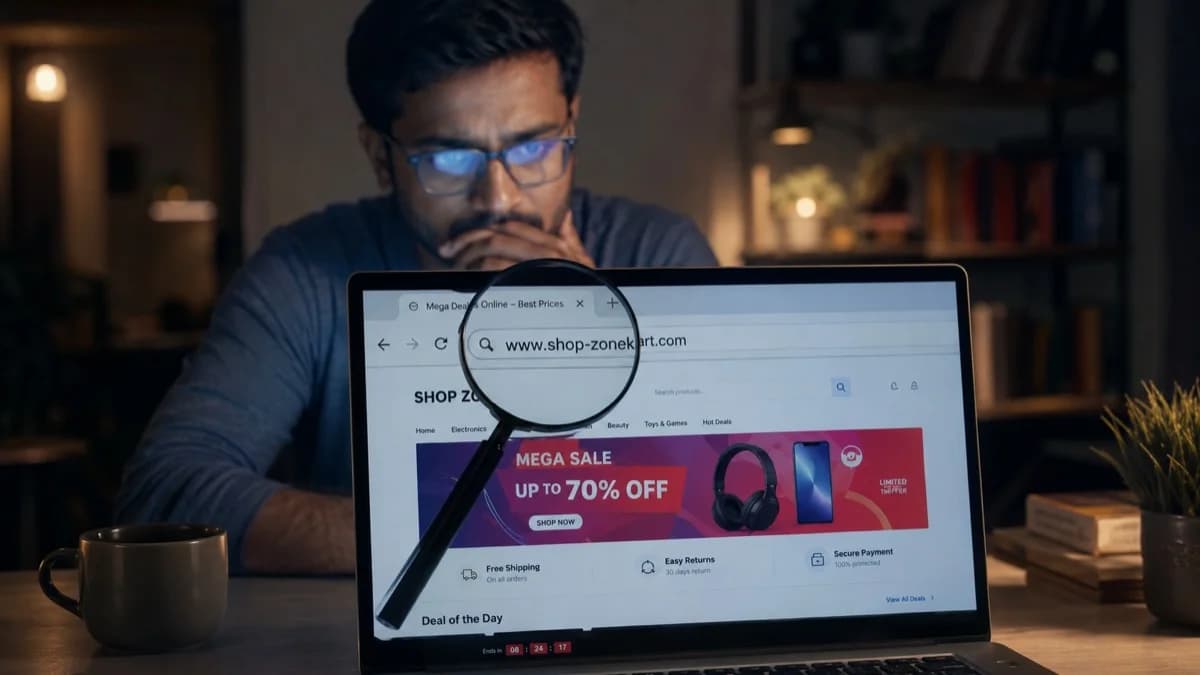
Fake e-commerce stores copy the look of real brands but use slightly altered domain names a trap millions of Indian shoppers fall into every year.
You find a website selling the exact laptop you have been looking at ₹12,000 cheaper than Amazon, free shipping, and a reassuring padlock icon in the address bar. You add it to cart. Before you pay, spend 60 seconds on this guide.
In 2024, Indians lost over ₹7,061 crore to online fraud, according to Ministry of Home Affairs data. A significant portion came from fake e-commerce stores, fake booking websites, and counterfeit government portals. The padlock icon does not make a site safe. Low prices are not a deal they are bait.
Here are 7 checks that take under 60 seconds total and will tell you definitively whether a website is real or a scam.
How to check if a website is real or fake in India 7 steps
- 1Check the domain name carefully for misspellings or extra words
- 2Use WHOIS (who.is) to check when the site was created under 6 months is a red flag
- 3Search for independent reviews on Google, Trustpilot, or Reddit
- 4Check the website URL on RakshaAI (rakshaai.co) free AI scam detector
- 5Verify the contact number and address independently
- 6Read the return/refund policy vague or missing means avoid
- 7Only pay through recognised gateways, never direct bank transfer to unknown accounts
Already paid? Call 1930 immediately and contact your bank. Speed determines recovery.
The 4 Most Common Fake Websites Targeting Indians
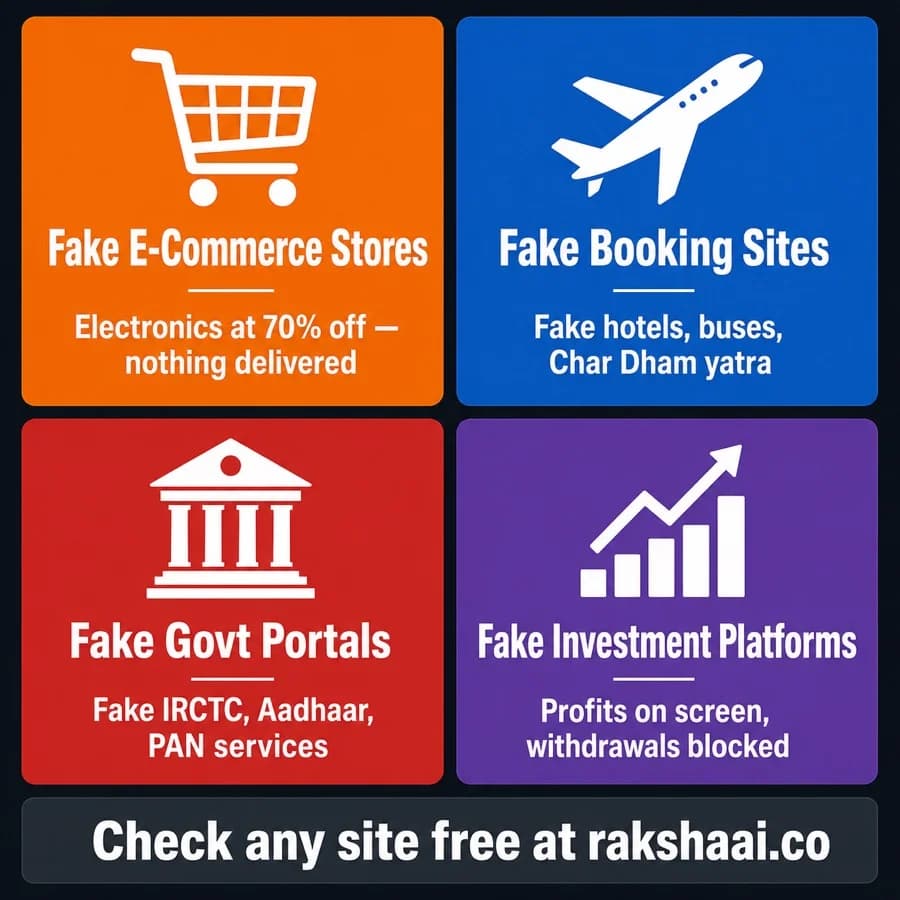
Four categories, one outcome: you pay and receive nothing.
Before learning how to detect fake sites, it helps to understand what you are looking for. Cybercriminals in India currently operate four main categories of fraudulent websites:
- Fake e-commerce stores. These mimic real brands or create entirely fictitious stores offering electronics, clothing, or household goods at 50–80% below market price. You pay, and nothing arrives. Sometimes counterfeit or broken goods are sent to delay disputes.
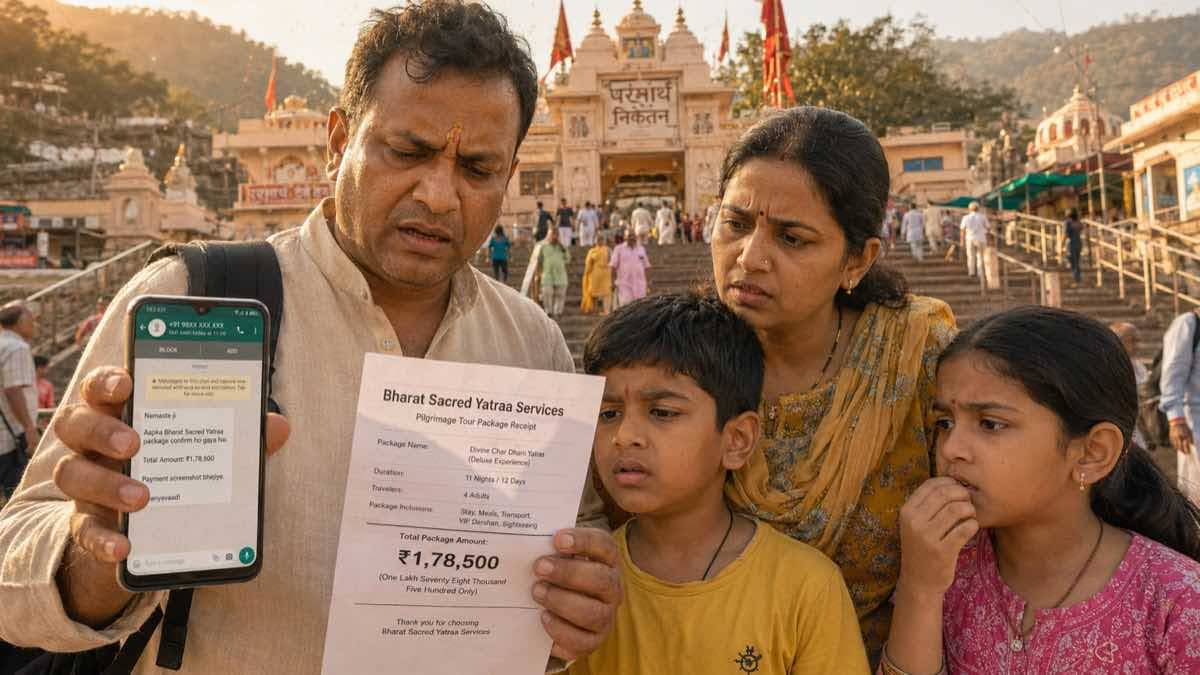
- Fake booking websites. These impersonate legitimate travel platforms, offering hotel bookings, bus tickets, or pilgrimage packages (Char Dham, Vaishno Devi). The booking confirms, the hotel does not know you exist.
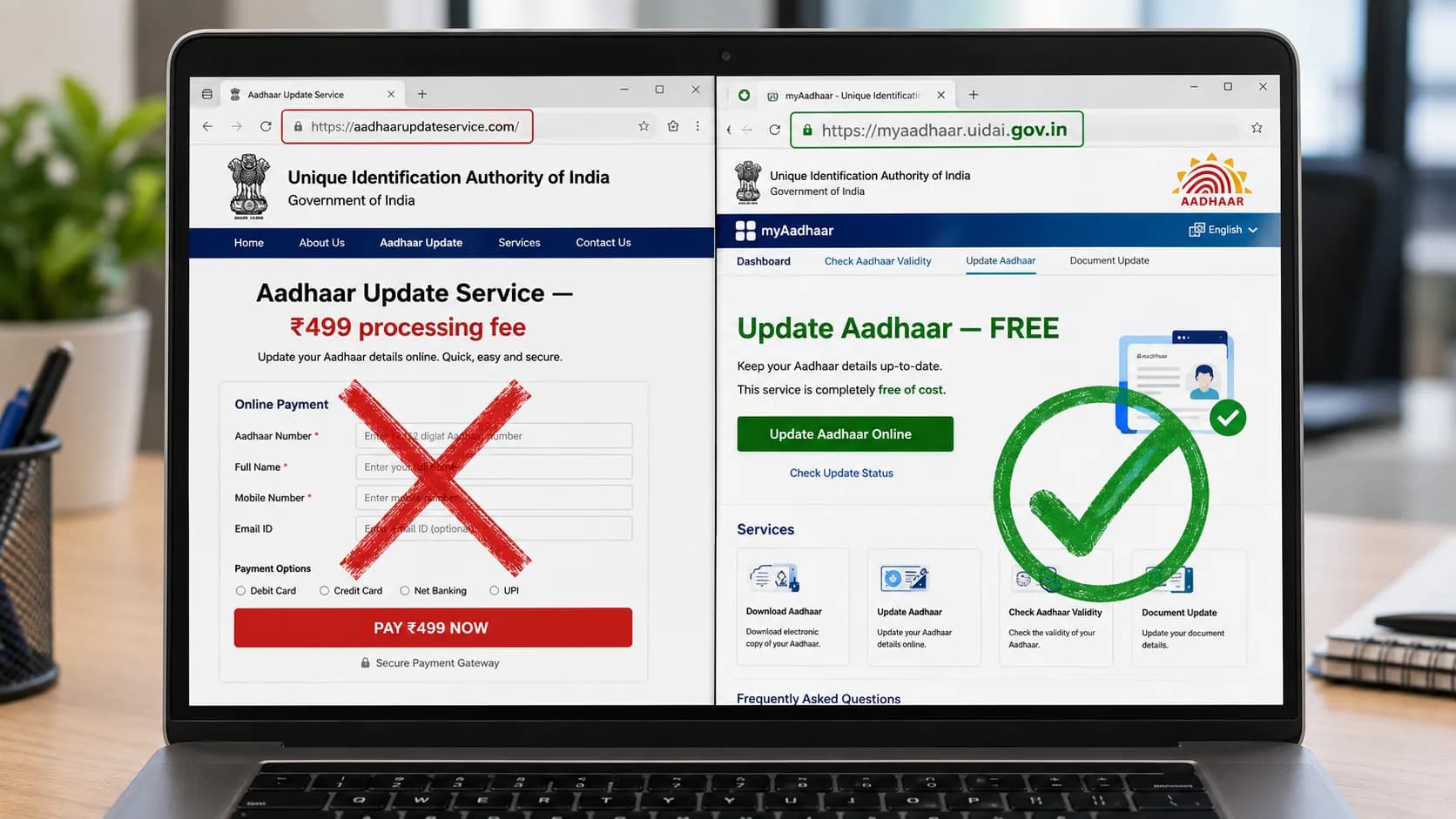
- Fake government portals. These copy the visual design of IRCTC, UIDAI (Aadhaar), PAN card services, and Passport Seva to steal your identity documents and money simultaneously.
- Fake investment platforms. These show you growing profits on a convincing dashboard, then block all withdrawals until you have deposited your savings.
Check 1: Look at the Domain Name Character by Character
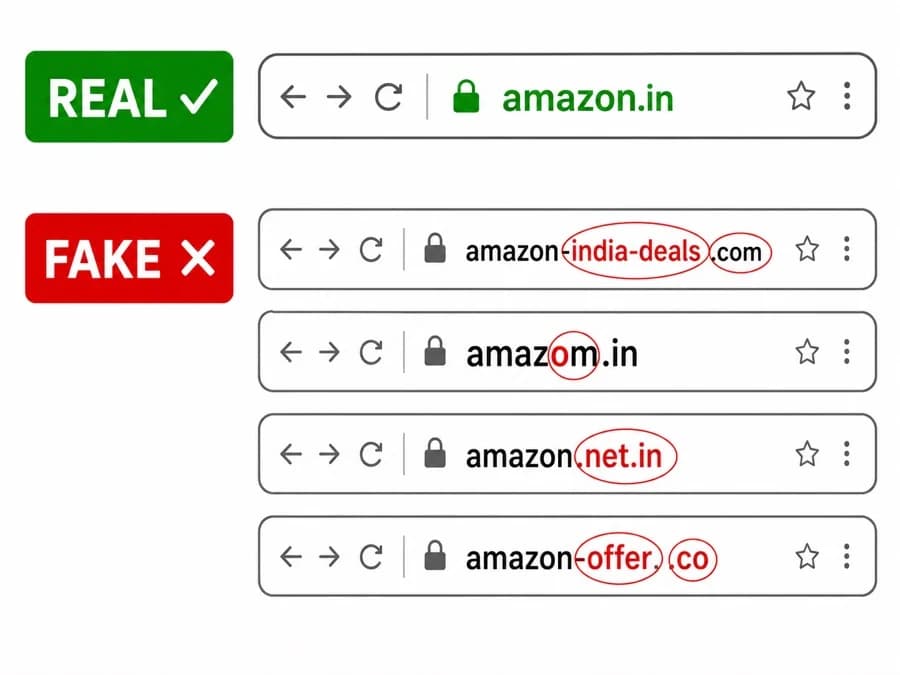
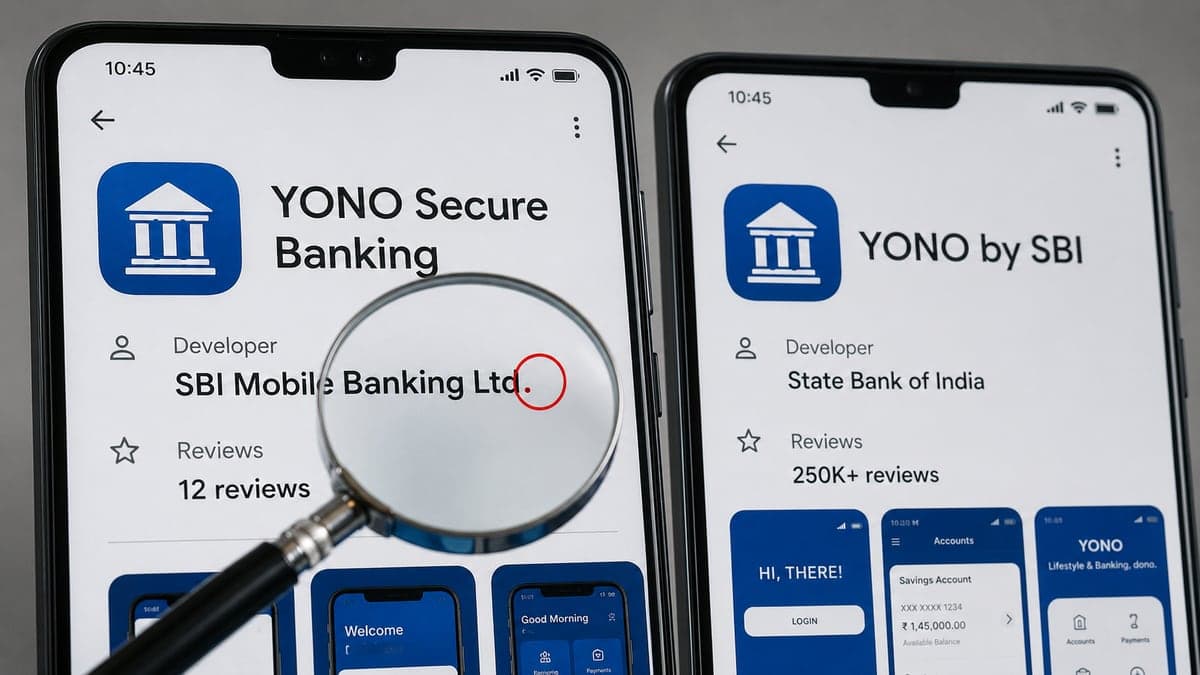
Scammers register domains that look nearly identical at a glance. The "o" in amazom.in is the difference between safe and scammed.
This is the single most important check, and it takes five seconds. Look at the address bar in your browser and read the domain name slowly, character by character.
Scammers use three domain manipulation techniques:
- Typosquatting: One letter changed amazom.in instead of amazon.in,flipkart.net instead of flipkart.com. At normal reading speed, your brain autocorrects the error.
- Keyword stuffing: Extra words added amazon-india-deals.com,irctc-booking-online.in, sbi-netbanking-login.com. No real institution puts its own service name in a subdomain or hyphenated URL.
- Wrong TLD: The genuine domain exists at .gov.in but the fake is at .com. IRCTC is irctc.co.in. Any other domain claiming to be IRCTC is fake.
The rule: If the domain is anything other than the exact official domain including one extra character, one missing character, or any additional words treat it as fake until proven otherwise.
Check 2: WHOIS Lookup How Old Is the Website?
Every domain has a public registration record. Go to who.is (or whois.domaintools.com) and type in the website address. Look for "Created On" or "Registration Date".
Legitimate businesses operate for years before accumulating the trust that drives significant sales volume. Fake e-commerce stores are registered days or weeks before they go live, run their fraud for a few months, and then disappear when complaints pile up only to reappear under a new domain.
The threshold: A website created less than 6 months ago that is already selling high-value goods at significant discounts is almost certainly a scam. This is not a perfect rule legitimate startups are young but combined with any other red flag, a young domain is decisive.
You will sometimes find that WHOIS data is "redacted for privacy" or "protected by proxy service". Privacy protection is not itself a red flag many legitimate sites use it. But a new domain with full WHOIS privacy and no other verifiable identity is a strong warning sign.
Check 3: Search for Independent Reviews
Open a new tab and search: "[website name] review", "[website name] scam", and "[website name] Reddit". Do this on Google, not on the website itself fake stores populate their own review sections with fabricated five-star testimonials.
What you are looking for: reviews on platforms where the site owner cannot delete or moderate feedback Google Maps reviews if the business has a listed address, Trustpilot, Reddit threads, or consumer forums like consumercomplaints.in and icomplaints.in.
Absence of reviews is itself a red flag. Any genuine e-commerce platform operating for more than a few months will have an independent review trail positive or negative. If the only reviews you can find are on the site itself or on suspiciously new Google accounts, the store is likely fake.
Check 4: Run the URL Through RakshaAI
Go to rakshaai.co/website-safety-checker and paste the website URL into the search bar. RakshaAI cross-references the URL against reported scam databases, analyses domain registration patterns, checks for known phishing infrastructure, and returns a safety assessment in under 5 seconds.
This is the fastest single check available to Indian users, and it is free with no sign-up required. Over 10 million Indians have used RakshaAI to verify websites, phone numbers, and UPI IDs before transacting.
A green result does not make a website 100% safe new scam sites appear daily and no database is perfectly up to date. But a red or amber result is a definitive stop sign. Combine this check with the others in this guide for the strongest protection.
Check 5: Verify the Contact Details Independently
Scroll to the bottom of the website. Look for a physical address, phone number, email address, and GST number. Then verify each one independently do not just call the number listed on the site.
- GST number: Go to gst.gov.in and search the GST number. The registered business name should exactly match the website. Fake websites frequently use fabricated GST numbers or real GST numbers belonging to entirely different companies.
- Physical address: Search the address on Google Maps. Is there actually a business there? Many fake stores list famous commercial areas in Delhi, Mumbai, or Bengaluru to appear credible the address leads to an empty plot or a different business entirely.
- Phone number: Search the number on TrueCaller. Also search it on Google with the word "fraud" or "scam". Victim reports accumulate around scam numbers quickly.
Check 6: Read the Refund and Return Policy
Find the return and refund policy page (usually linked in the footer). Read it carefully. Legitimate businesses have specific, detailed policies: a clear return window (7 days, 30 days), a defined process for raising a return request, and conditions that make logical commercial sense.
Fake websites handle this in two ways: they either have no policy at all (the link leads to a 404 page or a blank page), or they have a deliberately vague policy filled with language like "refunds are at our sole discretion" or "exchanges only, no refunds under any circumstances".
The test: Could you actually use this policy to get your money back? If the process described seems designed to be impossible to complete, it probably is.
Check 7: How Does the Website Ask You to Pay?
This is often the final tell, and it comes late in the purchase process when you are already committed. Watch for what payment options are offered at checkout.
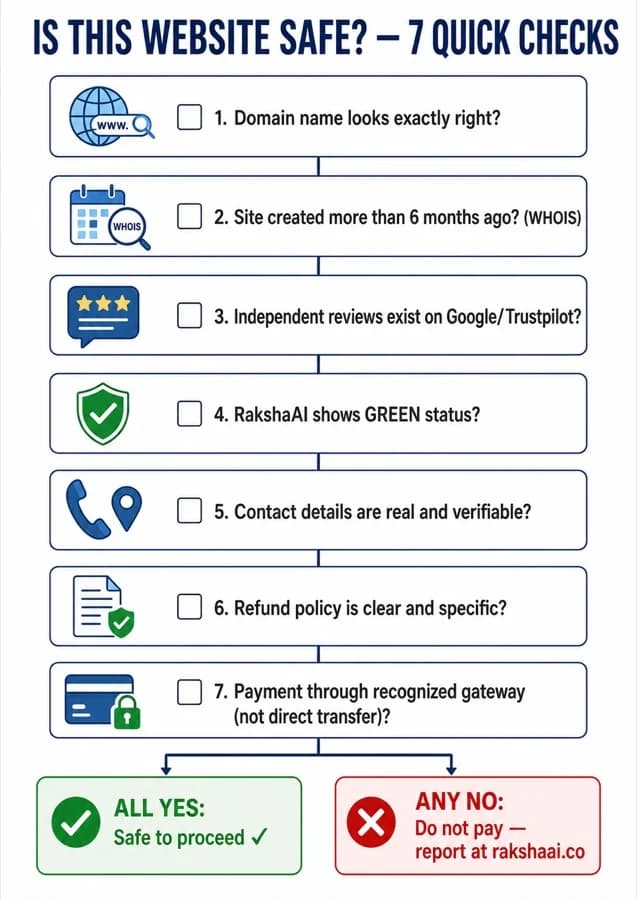
Any single "No" stop and report at rakshaai.co.
Recognised payment gateways Razorpay, PayU, CCAvenue, PayTM, UPI through a registered merchant ID, or credit/debit cards through a bank-verified portal all create a transaction record and give you a dispute mechanism.
Direct bank transfer to an individual account is always a red flag. No legitimate e-commerce business requires you to transfer money directly to a personal bank account. This payment method exists specifically because it bypasses all dispute resolution. Once the money lands in the fraudster's mule account, it is moved within minutes.
Also watch for: requests to pay via cryptocurrency, gift cards, or wallets that do not offer buyer protection. These are the three payment channels scammers prefer because they are effectively irreversible.
The HTTPS Myth: The Padlock Does Not Mean Safe
This deserves its own section because it is the most widespread misunderstanding in online safety. The padlock icon in your browser's address bar means one thing: the connection between your browser and the server is encrypted. That is all.
It does not mean the website is legitimate. It does not mean the person operating the server is trustworthy. It does not mean your payment will reach a real business.
TLS/SSL certificates the technology behind HTTPS are available for free from providers like Let's Encrypt. A scammer can register a fake domain, point it to a fraudulent server, and obtain a valid HTTPS certificate within 10 minutes at zero cost. The padlock on amazon-india-deals.com is identical to the padlock on amazon.in.
Use HTTPS as a minimum baseline avoid any site that does not have it but never treat it as a safety certificate. The domain name and the checks above are what actually protect you.
Frequently Asked Questions
How can I check if a website is safe to buy from in India?
Go to rakshaai.co/website-safety-checker and paste the website URL for an instant safety assessment. Also check the domain age at who.is, search for independent reviews on Google and Trustpilot, and verify the GST number at gst.gov.in. Run all 7 checks above before any high-value purchase.
What makes a shopping website fake?
The clearest signs: prices far below market rate, domain created recently (under 6 months old), no verifiable contact information, payment only by direct bank transfer, no independent reviews on Google or Trustpilot, and a vague or missing return/refund policy.
Is HTTPS enough to know a website is safe?
No. HTTPS only means the connection is encrypted. Scammers obtain free HTTPS certificates in minutes. The padlock tells you nothing about whether the business behind the website is real. Check the domain name and run the 7-step verification above.
How do I verify a website's GST number?
Go to gst.gov.in and search the GST number listed on the website under the "Search Taxpayer" section. The registered business name must exactly match the website's claimed company name. Mismatches or GST numbers that return no results indicate a fake.
What should I do if I already paid a fake website?
Call 1930 immediately this is India's National Cybercrime Helpline and the fastest way to flag the destination account for freezing. Then contact your bank's fraud desk, file a complaint at cybercrime.gov.in, and report the website URL at rakshaai.co/website-safety-checker to protect other Indians. The first 30–60 minutes are critical.
Final Thoughts
Fake websites succeed because they are designed to move fast attractive price, urgent "limited offer" countdown, easy checkout. The 7 checks in this guide take less than 60 seconds combined and are specifically designed to interrupt that speed.
The most important habit to build: check before you pay, not after.Once money leaves your account via direct transfer, the window for recovery is measured in minutes, not days.
Share this guide with your family especially anyone who shops online, books travel, or uses government services on the web. The people most at risk are often those least aware that the risk exists.
Free Tool
Unsure about a website? Check it now.
Paste any URL into RakshaAI for an instant safety score. No sign-up. No cost. Results in under 5 seconds.
Check a Website Now →100% free · No sign-up required · Save 1930 in your contacts
More from RakshaAI Blog
Stay Protected Online
Use RakshaAI to check websites, phone numbers, and UPI IDs for scams free, instant, no sign-up required.
RakshaAI is a private platform by Ehatech Services Pvt. Ltd. Not affiliated with any government body. Editorial policy