
Fake Job Portal India 2026How Naukri Clones Harvest Aadhaar, PAN & Phone Data
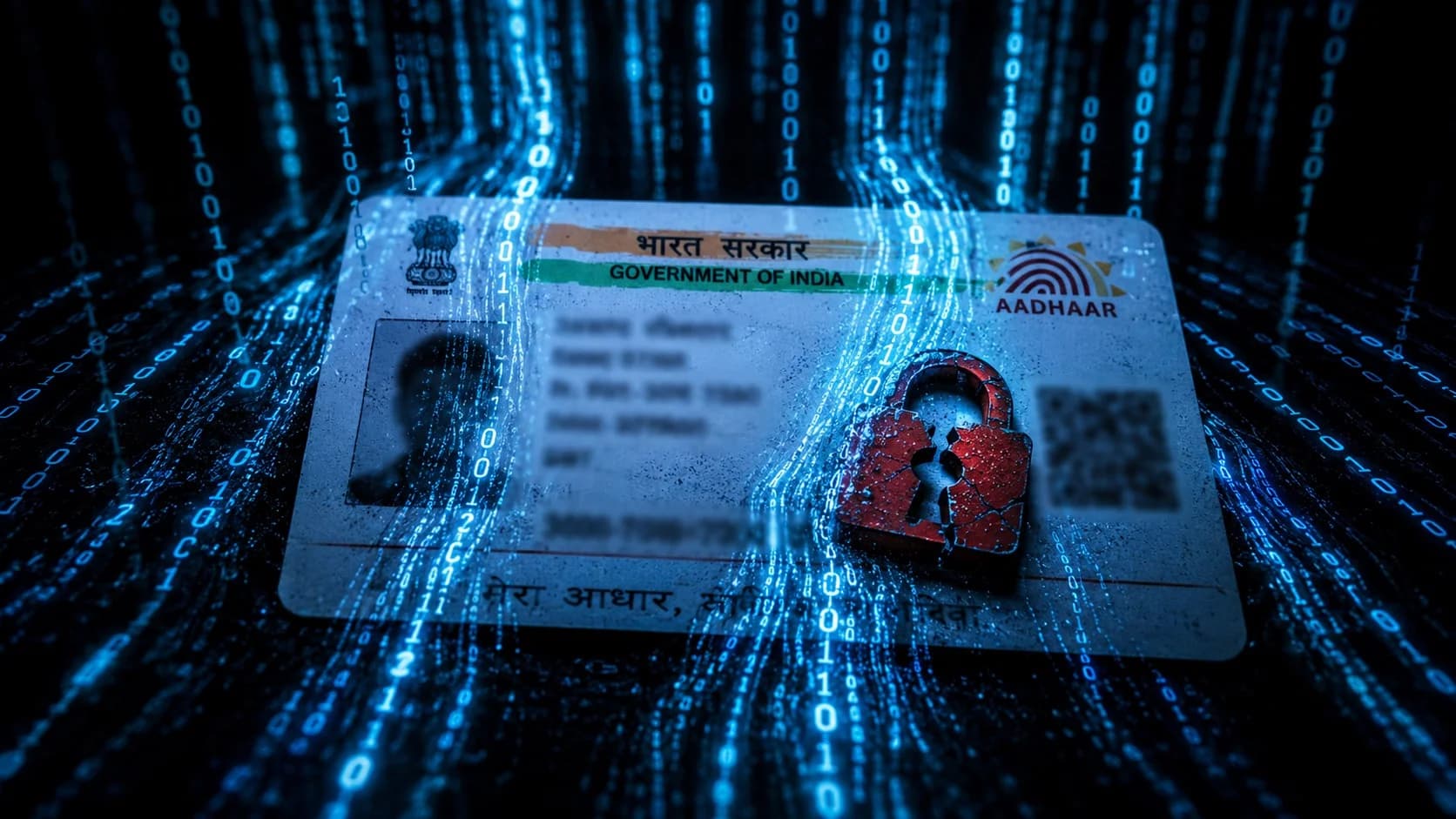
A fake job portal may never ask you to pay. It copies a trusted job marketplace, collects your resume and identity documents, and creates a data package that can support impersonation, unauthorised accounts, SIM fraud or loan fraud later.
Free · Domain and fraud-signal checks · Never upload identity documents to an unverified portal
No fee first
The portal may steal identity data without requesting money during application
Key distinction
1947
UIDAI helpline for Aadhaar support and suspected misuse questions
UIDAI
1 free report
Full credit report available from each credit information company every calendar year
RBI direction
1930
National helpline if identity misuse becomes financial cyber fraud
MHA / I4C
The one rule: do not upload Aadhaar, PAN, banking details or full identity-document scans to a job portal you have not independently verified. A copied design and padlock icon do not prove who receives your data.
This scam steals data first—not money
Advance-fee and task scams reveal themselves through payment demands. A fake job portal can complete its goal as soon as you submit a resume, phone number and identity documents. The downstream harm may not appear until an unfamiliar credit account, mobile connection or impersonation attempt is discovered.
Compare advance-fee job fraudHow the clone is presented
How Fake Job Portals Harvest Identity Data
The visual brand changes, but every version uses a familiar interface to make excessive data collection feel routine.
Clone of a major job-listing platform
The site copies familiar colours, navigation and listings while using a lookalike domain. Registration captures the resume, phone number and email; later screens request identity documents.
Fake professional-network portal
Profiles, connections and messages make the site resemble a professional network. The richer profile collects employment history, skills, contacts and documents together.
Generic recruitment marketplace clone
Real company names and plausible vacancies are copied into an unfamiliar job marketplace. Applying opens a form that asks for Aadhaar, PAN, bank or full-address details.
Government recruitment portal clone
A fake NCS, examination-board, railway or department site uses government styling and job urgency to collect a complete identity package and certificates.
The delayed data chain
From Resume Upload to Downstream Identity Misuse
Job application
Resume, mobile, email and work history
Document request
Aadhaar, PAN, address or certificates
Data combined
Records enriched with leaked or purchased information
Impersonation attempt
Loan, SIM, account or professional-profile misuse
Delayed discovery
Victim notices an unknown account, lost SIM service or contact from a third party
What may happen later
4 Types of Downstream Harm
Unauthorised credit or loan account
Stolen identity data is combined with additional compromised credentials to attempt credit applications or impersonation.
Unauthorised mobile connection or SIM takeover
Identity documents may be misused to obtain a mobile connection or support an impersonation attempt against a telecom provider.
Financial-account impersonation
The profile is used with other stolen information to open or access accounts, wallets, or payment services in your name.
Professional identity impersonation
Resume history, photo and contact information are used to create fake recruiter, employee or social profiles that target other people.
Why a resume is valuable
One application can answer multiple identity questions
A resume provides name variations, employment history, education, city, email and phone number. Adding Aadhaar, PAN, date of birth, full address and certificates creates a much richer impersonation package. That information can be combined with unrelated breaches or social engineering even if one document alone is insufficient to complete financial KYC.
Data minimisation is the defence: share only what the current application stage genuinely requires.
Resume
Career and contact history
Aadhaar
Identity and authentication target
PAN
Financial identity link
Mobile
OTP and recovery channel
Before uploading
8 Red Flags of a Fake Job Portal
- 1
The URL is not the brand’s exact official domain
A copied design cannot compensate for a different domain name. Read the complete hostname before entering data.
- 2
Aadhaar or PAN is required during registration
Identity documents are not needed merely to browse jobs or submit a first-stage resume.
- 3
The domain or operator cannot be independently verified
A recent or opaque operator requesting sensitive data is a high-risk combination.
- 4
The link arrived through an ad, forward or unsolicited message
Do not assume a sponsored result or shared link belongs to the brand displayed on the page.
- 5
Apply redirects to an unrelated data-collection form
External forms can capture documents without the genuine employer or platform seeing the application.
- 6
The form asks for a complete home address or bank details
Collecting more data than the stated application needs is a data-minimisation warning.
- 7
There is no verifiable operator, privacy notice or support path
Copied policies and generic contact forms do not establish who controls the data.
- 8
A recruiter calls immediately and requests more documents
Instant shortlisting can be a continuation of the data-harvest rather than evidence that a job exists.
Five checks
How to Check Whether a Job Portal Is Genuine
- Check portal
Step 1
Verify the exact URL
Reach the platform from its independently found official site or app-store listing. Check the full hostname, spelling and top-level domain before logging in.
- Open MCA
Step 2
Identify the company operating the portal
Read the Terms and Privacy pages, then compare the legal name and address with MCA records and independent company sources.
Step 3
Minimise what you upload
Use a resume that omits Aadhaar, PAN, banking details, full home address and unnecessary identity numbers. Do not upload identity documents for a first-stage application.
- Check recruiter
Step 4
Verify the vacancy with the employer
Check whether the same role exists on the employer’s official careers site and whether official HR recognises the listing or recruiter.
Step 5
Stop when data collection exceeds the purpose
A job-search form should not need every identity credential. Leave the portal if it cannot clearly explain why each field is necessary and who will receive it.
If you already uploaded data
Identity-Protection and Reporting Guide
Do not wait for money to move. Record exactly what was exposed, then secure each identity channel through its official service.
- 1
Preserve the portal and submission evidence
Save the exact URL, screenshots, privacy notice, upload confirmation, emails, recruiter number and the date and documents you submitted. Do not revisit the site using saved credentials.
- 2
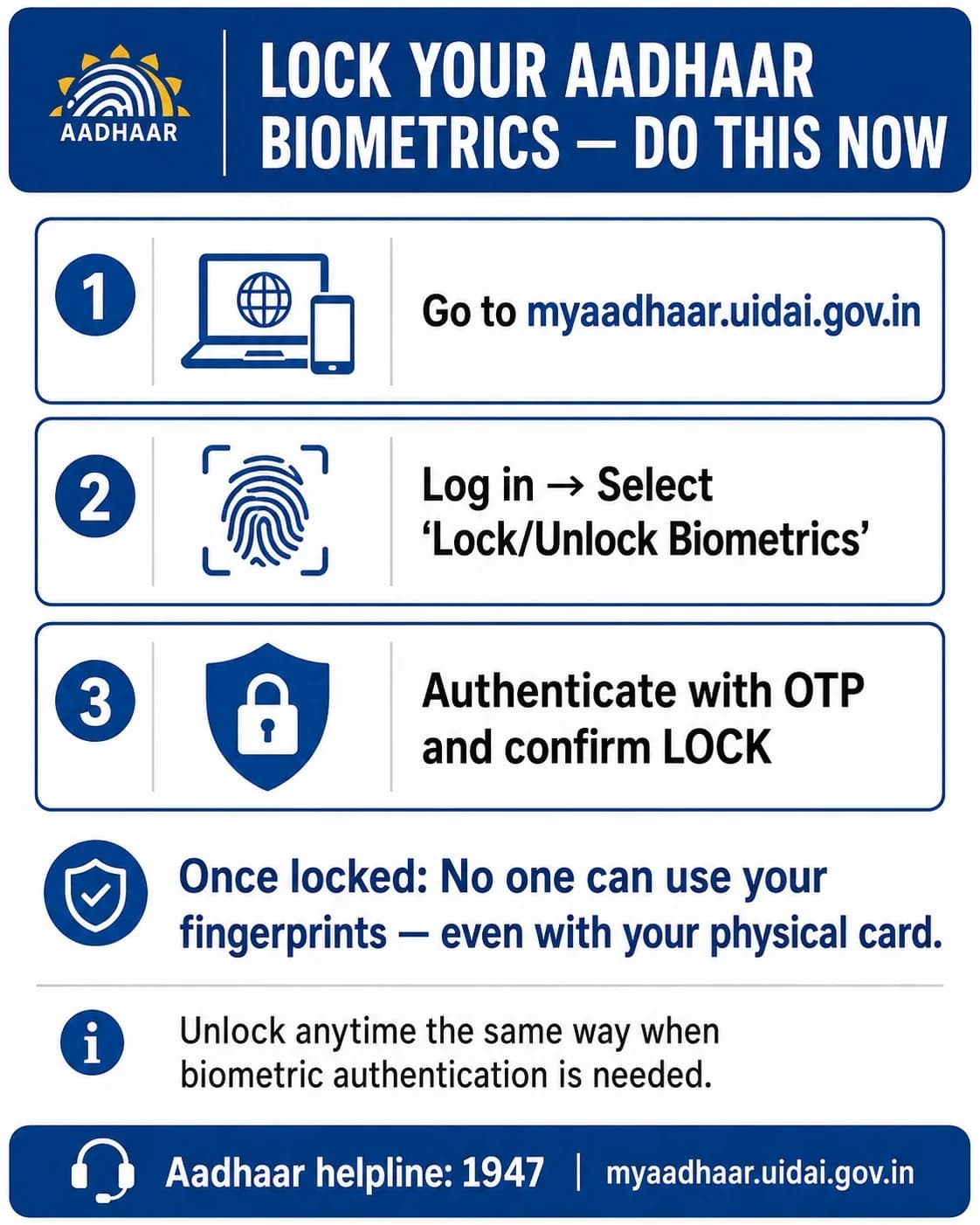
Secure Aadhaar through official UIDAI tools
Use MyAadhaar or mAadhaar to review available security controls. UID lock blocks authentication using UID, UID token and VID until unlocked; biometric lock only blocks biometric authentication. Call 1947 for support.
- 3
Check mobile connections and protect your SIM
Use Sanchar Saathi to review connections issued in your name and report unknown ones. If your current SIM unexpectedly loses service, contact your telecom provider immediately.
- 4
Review your credit reports
Request your free full credit report from the credit information companies and dispute unfamiliar enquiries or accounts with both the lender and the reporting company.
- 5
Report the incident through the right channels
File identity theft or cyber fraud at cybercrime.gov.in; call 1930 if money moves. CERT-In accepts cyber-security incident reports at incident@cert-in.org.in. Notify the impersonated platform and report the URL to RakshaAI.
Report the portal before it harvests more applicants
Keep the exact URL, screenshots, submission confirmation and recruiter identifiers ready.
Use the correct Aadhaar security control
UID lock: UIDAI says locking Aadhaar prevents authentication using UID, UID token and VID across biometric, demographic and OTP modes until it is unlocked.
Biometric lock: blocks fingerprint, iris and face authentication, but it is not the same as locking the Aadhaar number.
VID: a temporary, revocable 16-digit number that can be used instead of the Aadhaar number for supported authentication.
Verified official workflows
India Identity-Protection Resources
| Protection or right | Official detail | Source |
|---|---|---|
| Aadhaar UID lock | Blocks UID, token and VID authentication until unlocked | UIDAI |
| Biometric lock | Blocks fingerprint, iris and face authentication only | UIDAI |
| Virtual ID | Revocable 16-digit number usable instead of Aadhaar number for authentication | UIDAI |
| Mobile connections in your name | Can be reviewed and reported through Sanchar Saathi | Department of Telecommunications |
| Free full credit report | Once per calendar year from each credit information company | RBI |
| Cyber-security incident reporting | incident@cert-in.org.in / 1800-11-4949 | CERT-In |
| DPDP framework | Board established; substantive individual-rights sections scheduled for 13 May 2027 | MeitY commencement notification |
The supplied complaint shares, loss estimates, dark-web prices, domain-age averages, victim-attribution rates and static March 2026 alerts are not shown because no matching primary publication was found. Possession of an Aadhaar number alone does not automatically enable a loan, SIM replacement or bank account; additional authentication and failures may be involved.
Related job-scam guides
Keep the Harm Mechanisms Separate
Advance Fee Job Registration Fraud
A formal offer and joining process used to collect fees. Fake job portals may instead harvest data without requesting money.
WhatsApp & Telegram Job Offer Scam
An unsolicited fake role with no genuine hiring process, usually followed by task deposits or other payments.
Task Scam / Like and Earn Fraud
A task platform pays small amounts before escalating boosted-task deposits. Its main extraction is money, not identity data.
UPI Fraud Guide
What to do if stolen identity data leads to payment fraud, mule accounts or unauthorised transactions.
Job Scams India Hub
Compare all major job-fraud mechanisms and their different prevention steps.
Free RakshaAI checks
Check Any Job Portal Before Uploading
Website Safety Checker
Inspect a job-portal URL before creating an account or uploading personal documents.
Check job portalPhone Number Checker
Search a recruiter number that contacted you after you registered on a suspicious portal.
Check recruiterReport a Scam
Submit the fake portal, recruiter number and supporting evidence to help warn others.
Fake portal alerts
Check current scam warnings
Clone domains and recruiter numbers change quickly. Use the existing alert feed instead of relying on a static list of unverified domains.
Quick answers
Frequently Asked Questions About Fake Job Portals
What is a fake job portal scam and how is it different from other job fraud?
A fake job portal copies a job marketplace or government recruitment site to harvest resumes and identity data. It may not request money at application time. Misuse can appear later as an unfamiliar account, mobile connection, credit enquiry or impersonation profile.
Is it safe to upload Aadhaar or PAN on a job portal?
Avoid putting Aadhaar or PAN in a resume or first-stage application. Verify the employer and portal independently, ask why the document is necessary, and share identity documents only through an appropriate verified process with a clear purpose and recipient.
How do I check whether a job portal is genuine?
Check the exact domain, reach it from the official brand or government site, identify the legal operator, compare company details with MCA records, verify the vacancy on the employer careers page and avoid portals that demand excessive identity data.
What should I do if I uploaded Aadhaar to a fake portal?
Preserve evidence, use official UIDAI tools to consider UID or biometric locking, generate or use a VID where appropriate, call 1947 for support, check mobile connections through Sanchar Saathi and monitor your credit reports and bank alerts.
What is the difference between Aadhaar UID lock and biometric lock?
UIDAI states that UID lock prevents authentication using UID, UID token and VID across biometric, demographic and OTP modes until unlocked. Biometric lock only prevents fingerprint, iris and face authentication. Use MyAadhaar, mAadhaar or UIDAI helpline 1947 for official guidance.
How do I check for a fraudulent loan in my name?
Request the free full credit report available from each credit information company once per calendar year. If you find an unfamiliar enquiry or account, dispute it with the lender and credit information company. Unresolved regulated-entity complaints can be escalated through RBI CMS where eligible.
How do I check for mobile connections issued in my name?
Use the Department of Telecommunications Sanchar Saathi service to review mobile connections issued in your name and report those you do not recognise. If your active SIM suddenly loses service, contact your telecom provider immediately.
How do I report a fake job portal in India?
File at cybercrime.gov.in under the closest identity-theft or online-fraud category, call 1930 if financial fraud occurs, report the cyber-security incident to CERT-In where appropriate, notify the impersonated platform, and preserve the exact URL and submission evidence.
What rights does the DPDP framework provide?
The Act describes rights including access to information, correction and erasure, grievance redressal and nomination. However, MeitY’s commencement notification schedules sections 11 to 17 for 13 May 2027, eighteen months after 13 November 2025. The Data Protection Board was established in November 2025, but as of July 2026 you should check MeitY’s enforcement timeline before relying on a DPDP complaint route.
What information should I omit from a first-stage job application?
Do not place Aadhaar, PAN, bank details, passport numbers, full identity-document scans or unnecessary full-address information in a resume. Submit only information relevant to evaluating your skills and experience until the employer and process are independently verified.
Remember
A resume should demonstrate your skills—not contain your identity credentials.
Verify the portal and employer before sharing anything beyond the minimum application data.