
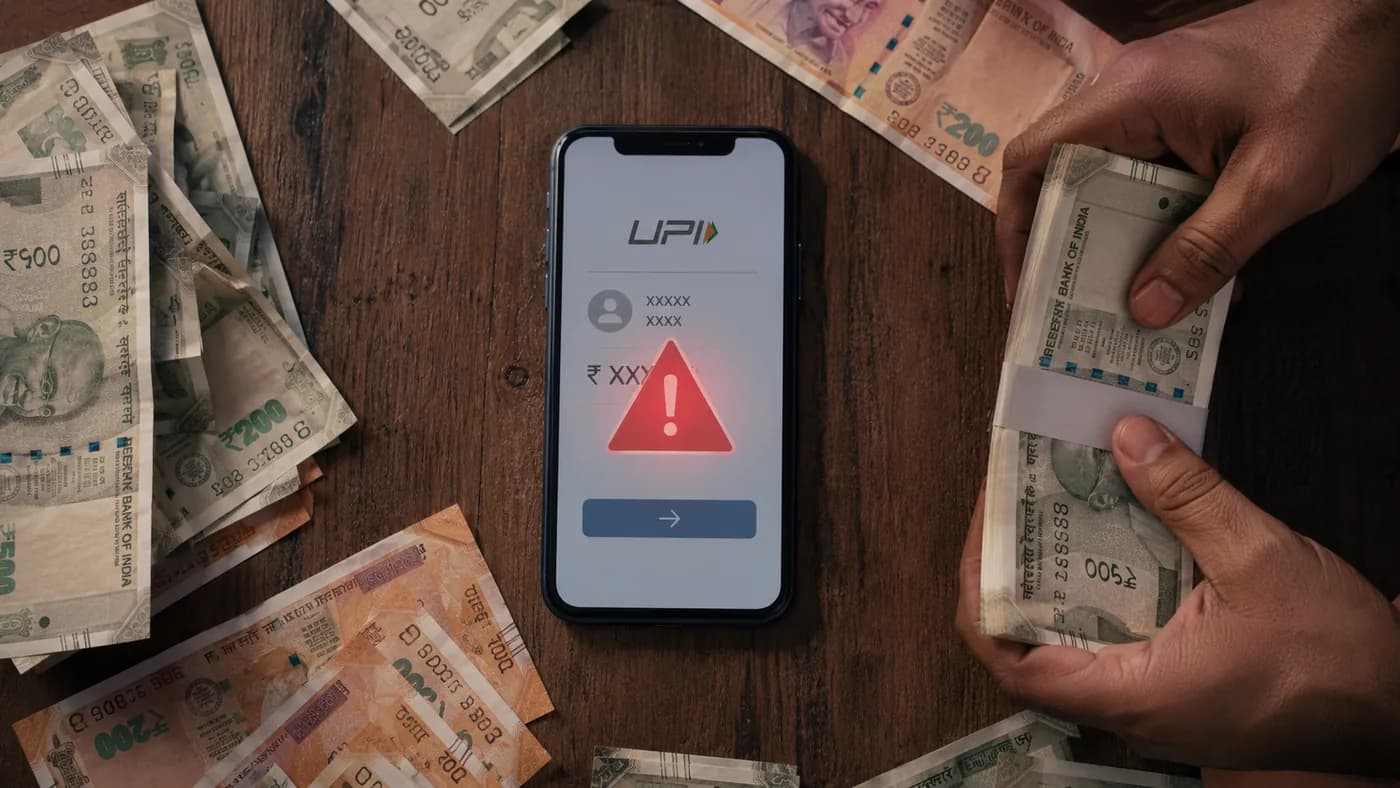
UPI fraud drained over Rs 485 crore from Indian bank accounts in 2024 alone. These 7 tricks are still active in 2026.
India processes over 18 billion UPI transactions every month. Scammers know this, and they have developed a precise, repeatable playbook for stealing money through UPI. The worst part? Most victims do not realise they have been scammed until the money is already gone.
This guide covers every active UPI scam in India in 2026, with the exact red flags for each one. Read it once. Share it with your parents. It could save your family lakhs.
The 7 active UPI scams in India right now
- 1Fake collect request (you approve a payment out, not in)
- 2Fake customer care numbers from Google search
- 3Screen share or AnyDesk remote access scam
- 4Fake QR code sent by scammers ("scan to receive money")
- 5SIM swap attack (your number is ported to the scammer's device)
- 6UPI phishing links sent via SMS or WhatsApp
- 7Fake payment screenshots sent by buyers
If you have already been scammed via UPI, call 1930 immediately.
Scam 1: Fake UPI Collect Request Fraud
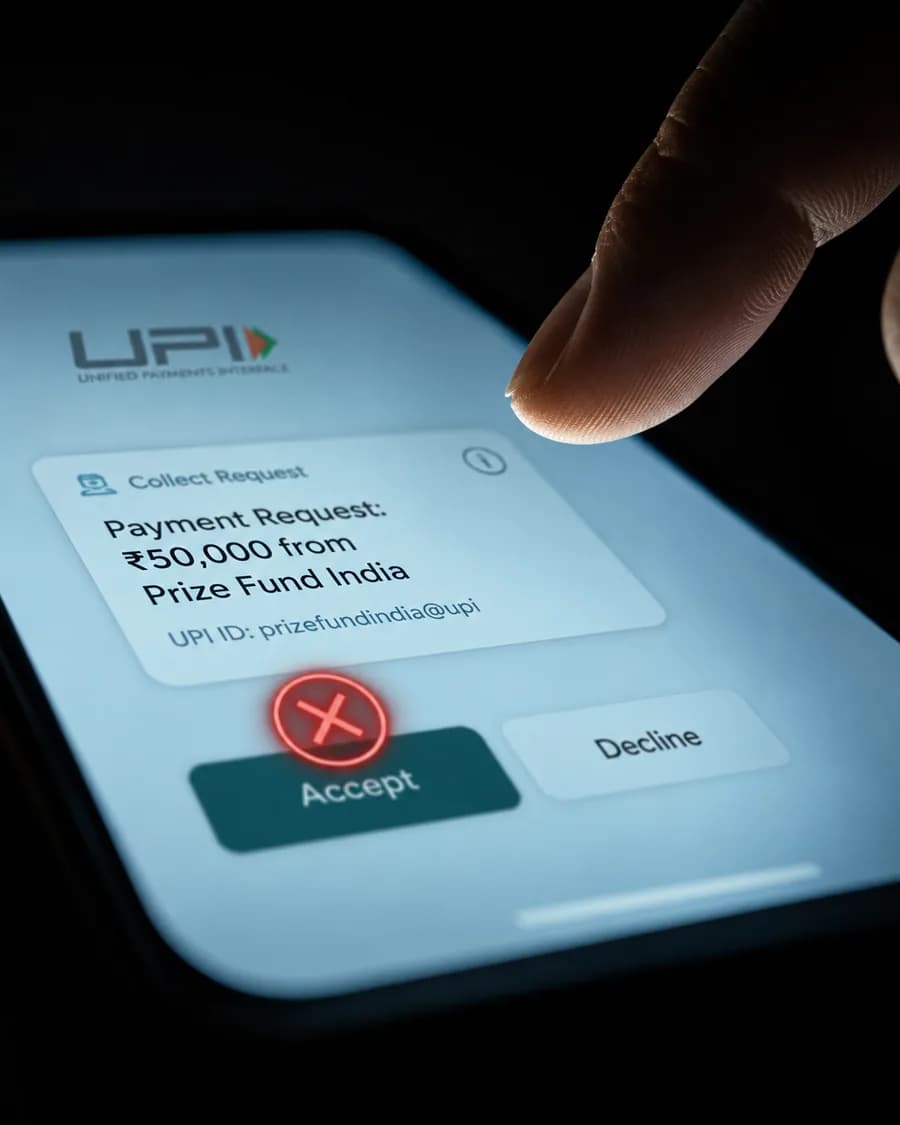
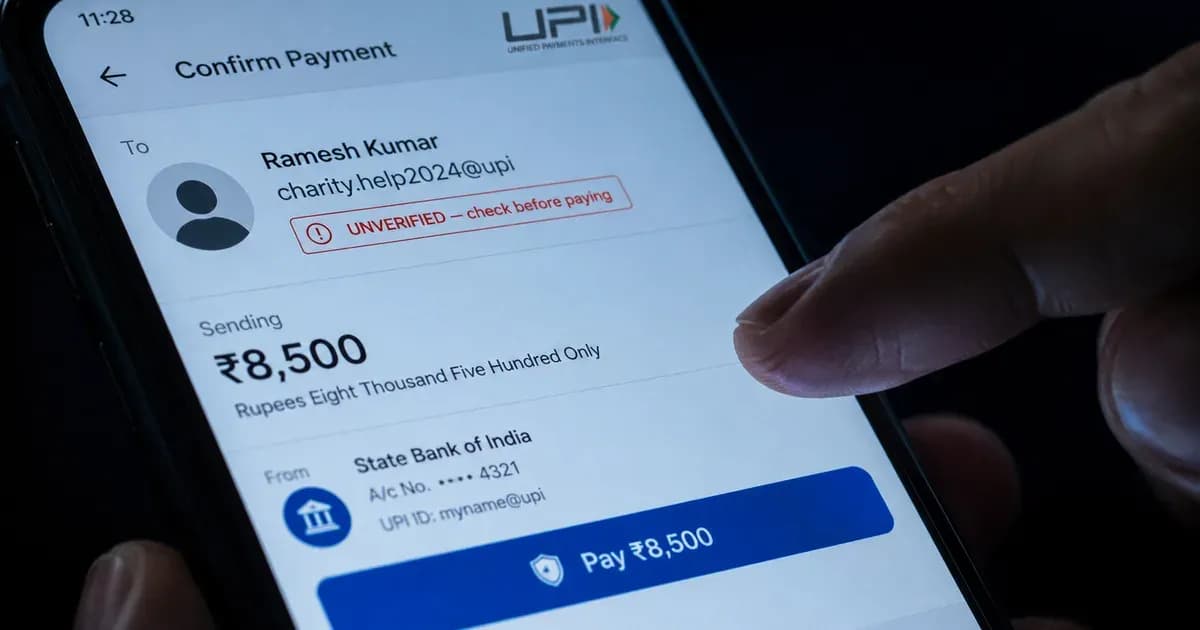
This request drains money OUT of your account when you tap Accept.
This is the most common UPI scam in India and the most misunderstood. A scammer sends you a UPI collect request that looks identical to a payment notification. The screen shows an amount coming in, a sender name, and an Accept button.
When you tap Accept, you do not receive money. You authorise a payment out of your own account. The funds go directly to the scammer.
How scammers set up the trap:
- They contact you as a buyer on OLX, Facebook Marketplace, or Quikr
- They say they will pay via UPI and ask you to accept the request
- The request arrives and looks exactly like an incoming payment
- You enter your UPI PIN thinking you are confirming receipt
- Your money is gone
The rule: You never need to enter your UPI PIN to receive money. If any screen asks for your PIN when you are expecting to get paid, stop immediately.
Scam 2: Fake Customer Care Numbers from Google Search
You search for "PhonePe customer care number" or "Google Pay helpline India" on Google. The top result is a number that looks official. You call it. A helpful voice answers, asks for your UPI ID, says they need to verify your account, and sends you a collect request to "confirm".
By the time you realise it was a scam, your account has been emptied.
Scammers run paid Google ads with fake customer care numbers and also seed them across justdial, sulekha, and WhatsApp groups. These numbers change every few days. There is no official UPI customer care number that you should be calling proactively.
The rule: All UPI support happens inside your app. PhonePe, Google Pay, Paytm, and BHIM all have in-app help and dispute sections. Never call a number you found on Google for UPI help.
Scam 3: Screen Share and Remote Access Scam (AnyDesk, TeamViewer)
A caller pretending to be bank customer support says there is a problem with your account and asks you to download AnyDesk or QuickSupport to let them fix it. Once you grant access, they can see everything on your screen, including your UPI app, bank app, and any OTP that arrives.
In documented cases, scammers have used this access to:
- Open your UPI app and initiate transfers while watching your OTP arrive
- See your banking credentials typed in real time
- Screenshot your account details, Aadhaar, and PAN
The rule: No legitimate bank, UPI app, or telecom company will ever ask you to install a screen sharing app. If anyone on a call asks you to download AnyDesk, TeamViewer, or QuickSupport, end the call immediately and report it to 1930.
Scam 4: Fake QR Code Sent by Scammers ("Scan to Receive Money")
This scam exploits one simple fact that most UPI users do not know: scanning a QR code always means you are paying, not receiving.
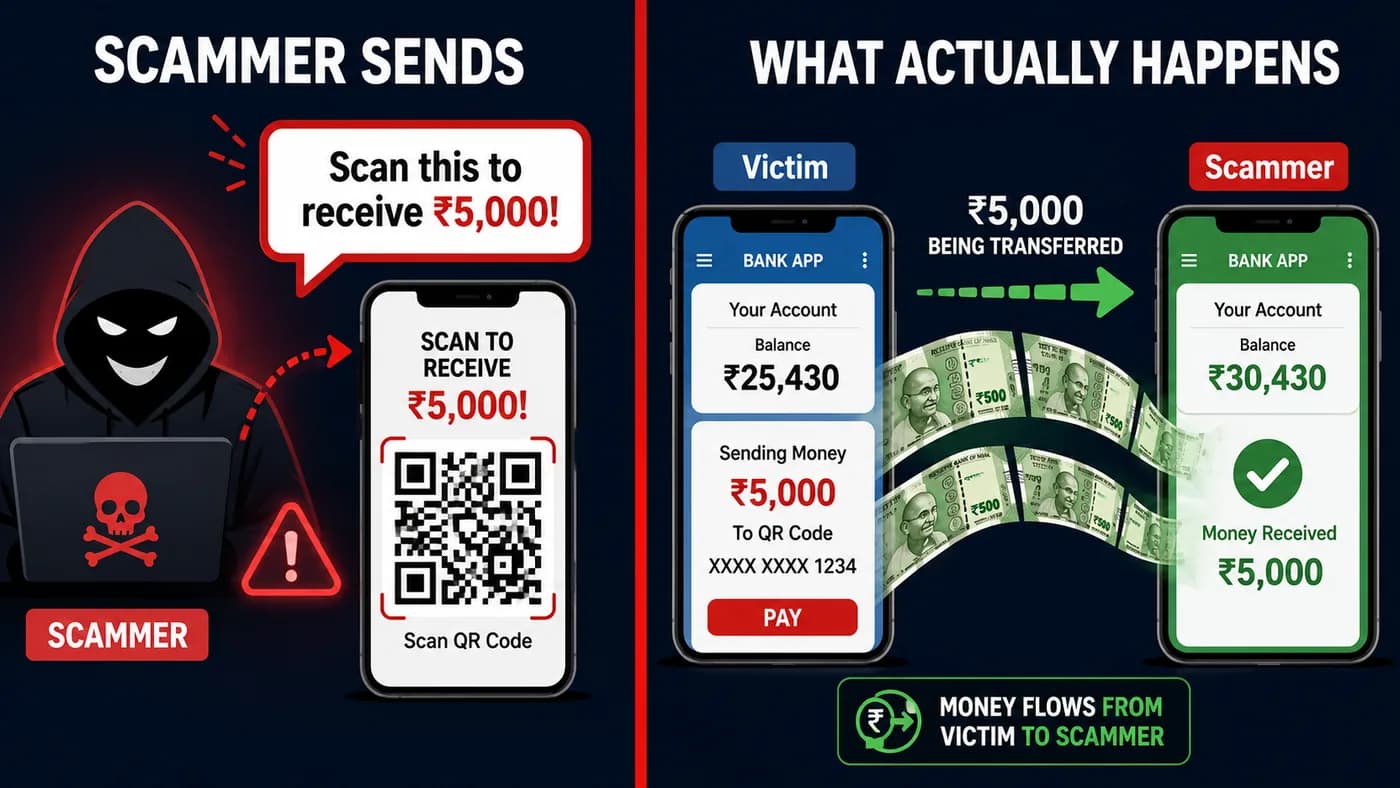
The scammer sends a QR code claiming it will "send you money." In reality, scanning it sends money from you to them.
The scam works like this: a seller receives a message from a "buyer" who says they want to pay Rs 5,000 and sends a QR code with a note saying "scan this to receive your payment." The seller scans it, enters their UPI PIN, and pays Rs 5,000 to the scammer instead of receiving it.
The rule: To receive money, you show your QR code or share your UPI ID. You never scan a QR code that someone else sends you. Any message that says "scan this to get paid" is a scam, without exception.
Scam 5: SIM Swap Attack
SIM swap is a sophisticated attack where scammers visit a telecom store with your details (obtained from data breaches or social engineering) and request a new SIM for your number, claiming theirs was lost or damaged.
Once your number is ported to their SIM:
- Your phone loses all signal
- Every OTP meant for you now goes to the scammer
- They reset your UPI PIN using your bank OTP
- They drain your linked accounts before you even notice your phone has no service
Warning signs: Your phone suddenly has no network, you cannot make or receive calls, and your number stops working entirely.
The rule: If your phone loses signal without explanation, call your telecom operator immediately from another phone. Ask if a SIM replacement was requested. Do not assume it is a tower issue.
Scam 6: UPI Phishing Links via SMS and WhatsApp
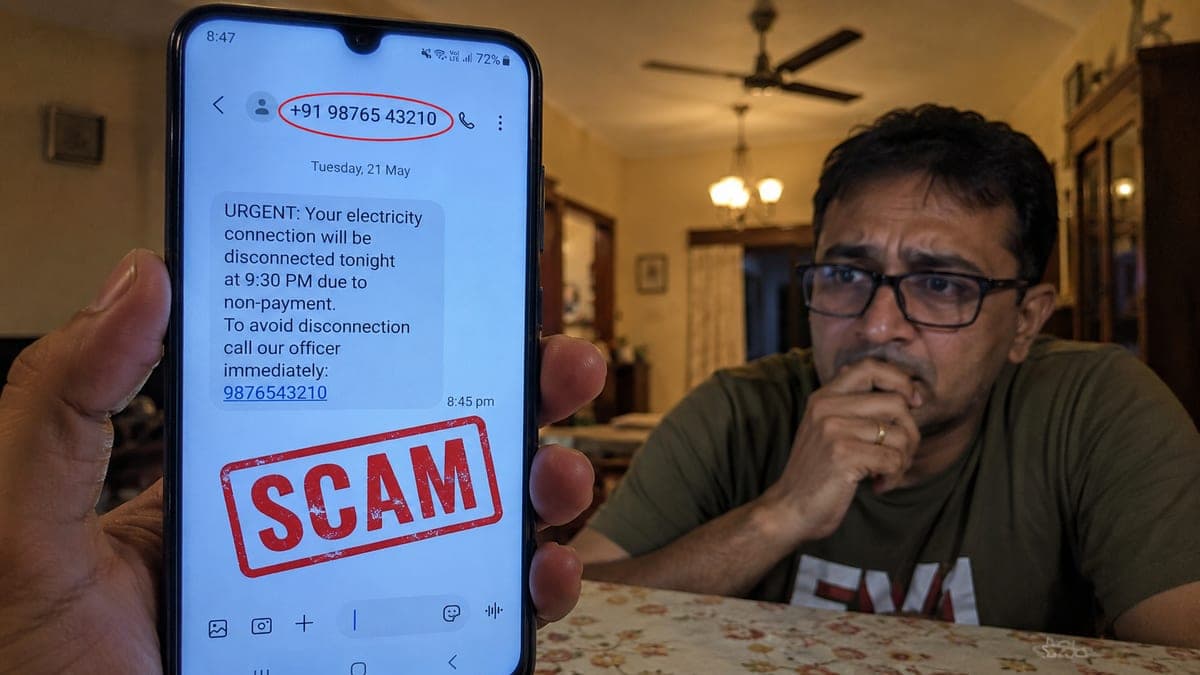
You receive an SMS saying your UPI account has been blocked, or your KYC needs to be updated, with a link to reactivate. The link opens a website that looks exactly like PhonePe, Google Pay, or your bank. You enter your UPI ID and PIN. Those credentials go straight to the scammer.
In 2026, scammers have upgraded these messages to include your partial mobile number, name, and bank name (sourced from data leaks) to make them look credible.
Common phishing pretexts used in India:
- "Your UPI is blocked. Complete KYC to continue" (with a link)
- "You have received Rs 10,000. Click to claim" (with a link)
- "Your Google Pay account shows suspicious activity. Verify now" (with a link)
- "NPCI has suspended your UPI. Update in 24 hours to avoid permanent block" (with a link)
The rule: UPI apps and banks never ask you to enter your PIN on a website. Your PIN is only entered inside the official app on your phone. Paste any suspicious link into RakshaAI before clicking it.
Scam 7: Fake Payment Screenshots Sent by Buyers
If you sell anything online or run a small business, this scam targets you directly. A buyer sends a screenshot of a payment confirmation showing your UPI ID and the exact amount. The screenshot looks 100% real. You hand over the goods or complete the service. No payment ever arrived.
Scammers use edited screenshots or screenshot generator apps to create convincing fake payment proofs. The NPCI name, tick marks, and transaction IDs can all be fabricated.
The rule: Never trust a screenshot as proof of payment. Always verify by checking your bank account balance or transaction history in your UPI app before releasing any goods or service. A genuine buyer will wait the 30 seconds it takes you to confirm.
The 7 UPI Safety Rules Every Indian Must Know
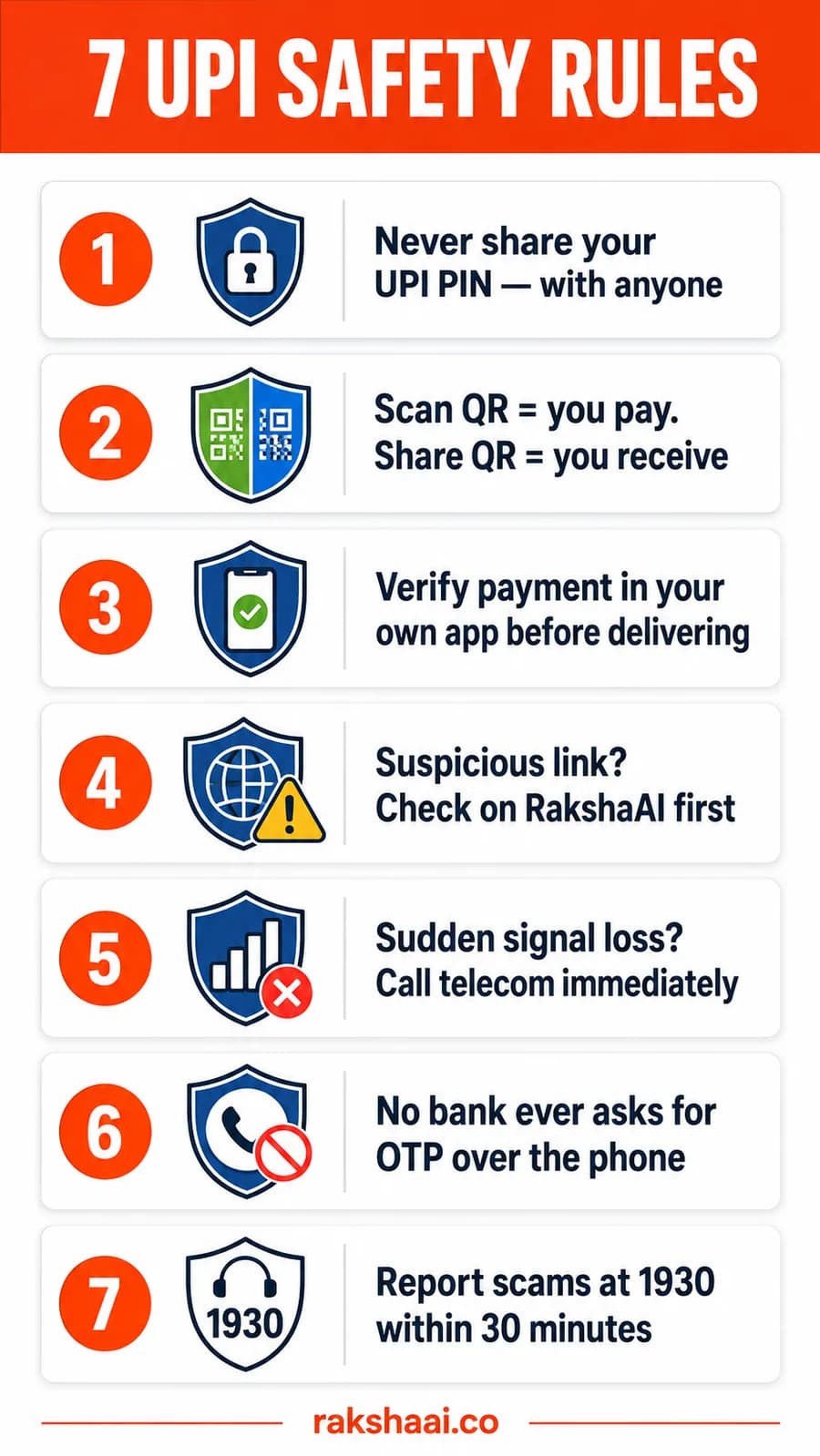
Save and share this with family members who use UPI.
- Never share your UPI PIN with anyone. No bank, app, or customer care agent will ever ask for it.
- Scan QR to pay. Share QR to receive. These are the only two directions. No exceptions.
- Verify payment in your own app before delivering. Open your app, check your balance, confirm the credit. Only then proceed.
- Suspicious link? Check on RakshaAI first. Paste any UPI-related URL at rakshaai.co/website-safety-checker before opening it.
- Sudden signal loss? Call your telecom immediately. Use another phone and ask if a SIM replacement was issued for your number.
- No bank ever asks for OTP over the phone. End any call where someone asks you to read out an OTP.
- Report scams at 1930 within 30 minutes. This is the window where money recovery is most likely.
What to Do the Moment You Realise You Have Been Scammed
Time is critical. The first 30 minutes after a UPI scam have the highest recovery rate. Call 1930 before doing anything else.
- Call 1930 immediately. This is India's National Cybercrime Helpline. Explain you were UPI scammed and give the transaction details. They can flag the destination account before the money is withdrawn.
- Contact your bank. Call your bank's fraud helpline and report the transaction. Ask them to raise a dispute or freeze the transfer if possible.
- Raise a dispute in your UPI app. Open the transaction in PhonePe, Google Pay, or BHIM and tap the dispute option.
- File at cybercrime.gov.in. A formal complaint creates a legal record and supports the recovery process.
- Check the UPI ID on RakshaAI. Your report at rakshaai.co/upi-id-checker protects other people from the same fraud.
The Scale of UPI Fraud in India: Official Year-wise Data (FY 2022–2026)
The numbers below come from the Finance Ministry's written replies to Parliament (Lok Sabha, November 25, 2024 and Rajya Sabha, November 27, 2024), cross-referenced with NPCI and RBI data. This is the most authoritative public record of UPI fraud in India.
| Financial Year | Fraud Cases | Amount Lost | YoY Change |
|---|---|---|---|
| FY 2021–22 | 4.07 lakh | ₹242 crore | Baseline year |
| FY 2022–23 | 7.25 lakh | ₹573 crore | +78% cases / +137% loss |
| FY 2023–24 | 13.42 lakh | ₹1,087 crore | +85% cases / +90% loss (peak) |
| FY 2024–25 | 12.64 lakh | ₹981 crore | First decline after peak |
| FY 2025–26* | 16.29 lakh (partial) | ₹1,226 crore (partial) | * Through Mar 15, 2026 |
Cumulative (FY22 to Sep 2024): 33.32 lakh cases, ₹2,630 crore lost Finance Ministry statement, Parliament. Note: 51% of UPI fraud victims do not report (LocalCircles survey, June 2025), so actual numbers are likely 2× official figures.
Source: Finance Ministry Lok Sabha written reply, Nov 25, 2024 · Rajya Sabha, Nov 27, 2024 · NPCI Annual Data · RBI Annual Report 2023-24.
Documented UPI Scam Cases Reported by Indian News Outlets
These are real, verified incidents covered by India's leading publications. Each case shows a different scam type the same tricks explained above, now with real victims and real amounts.
Real Estate Firm Defrauded ₹24 Crore via Forged UPI Payment Proof
Accused edited UPI transaction screenshots to show full amounts while actually transferring only ₹1 per transaction. The scheme ran for ~3 months before being caught in a year-end audit. 21 persons named, accused from Jharkhand and Bihar.
Lucknow Physician Held in Digital Arrest for 10 Days, Scammer Gets 7 Years
Dr. Soumya Gupta (KGMU) was psychologically trapped for 10 days by a fake customs officer claiming a parcel in her name had MDMA. She transferred ₹85 lakh across 4 accounts. The accused was convicted within 14 months India's first ever digital arrest conviction.
13-Member Gang Defrauds Bajaj Electronics via UPI Chargeback Reversal
The gang bought high-value appliances from Bajaj Electronics showrooms and paid via UPI. Accomplices in Rajasthan then filed fraudulent chargeback complaints banks reversed the payments while the gang kept the goods. 13 arrested, ages 20-25, ₹1.72 lakh cash seized.
Mumbai Firm Loses ₹7.5 Crore to SIM Swap; Cyber Police Freeze ₹4.65 Crore
Fraudsters convinced the telecom provider to link a private firm owner's number to their SIM. They then drained the company account via multiple rapid UPI/NEFT transfers. The victim called 1930 immediately Mumbai Cyber Police froze ₹4.65 crore within 4 hours via the NCRP portal.
Hospital Staff Secretly Replaced Victoria Hospital UPI QR Codes with Personal Accounts
8 contractual data-entry operators at Victoria Hospital's Infosys Lab replaced official UPI QR scanners at billing counters with personal QR codes. Patients paid blood test fees into private accounts. Discovered via internal audit. FIR filed at Visvesvarapuram police station.
Businessman Loses ₹2 Lakh After Clicking Link from Fake Doctor's Appointment Page
Ram Prasad Agrawal searched for a doctor online and called a fraudulent number indexed on a public search platform. The fake clinic assistant asked for a ₹5 registration fee via a link he entered his UPI PIN on a spoofed page. Six transactions followed automatically, draining both Bank of India accounts.
Complete Timeline: Major UPI Scam Cases in India (2023–2025)
A date-wise chronicle of significant documented UPI fraud cases across India spanning every major scam type, from SIM swaps and fake screenshots to phishing links and QR code replacements.
| Date | Victim / City | Amount Lost | Scam Type |
|---|---|---|---|
| Mar 5, 2023 | Shardul Nautiyal, senior journalist · Mira Road, Mumbai | ₹2.60 lakh | Fake Tata Power customer care → Quick Support remote access app → two accounts drained |
| Apr 3, 2023 | Multiple victims · Mumbai (accused arrested from Ranchi) | Multiple | Fake electricity bill SMS with malicious link 2 arrested, linked to cases in 5 states |
| 2023 | Real estate & stock firm (Vishwajeet Srivastava) · Gorakhpur, UP | ₹24 crore | Fake UPI payment screenshots forged transaction visuals sent to company accountant 21 accused |
| Apr 2024 | Dr. Soumya Gupta, KGMU physician · Lucknow, UP | ₹85 lakh | Digital arrest fake customs / CBI 10 days psychological captivity 4 accounts first ever conviction (7 yrs) |
| Aug 1–8, 2024 | Dr. Ruchika Tandon, SGPGIMS assoc. professor · Lucknow, UP | ₹2.81 crore | Digital arrest fake TRAI / CBI 7 accounts ₹27.88 lakh frozen by police |
| Sep 9, 2024 | Bajaj Electronics chain · Hyderabad, Telangana | ₹4 crore | UPI chargeback reversal fraud gang bought appliances then filed fake bank disputes 13 arrested aged 20–25 |
| Dec 23, 2024 | Private firm owner · Kandivali, Mumbai | ₹7.5 crore | SIM swap → OTP hijack → multiple rapid transfers ₹4.65 Cr frozen within 4 hours via 1930 |
| 2024–25 | Second-hand SUV buyer on OLX · Kharar, Punjab | ₹5 lakh | Fake Indian Army officer on OLX advance fees for shipping / clearance 1 arrested with fake army ID cards |
| Feb 22, 2025 | Ramesh Kumar Nirala · Muzaffarpur, Bihar | ₹95,332 | Fake electricity customer care (found via online search) → remote access app → 3 accounts drained |
| Jan–May 2025 | Patients of Victoria Hospital (govt.) · Bengaluru | ₹23.78 lakh | QR code swap at hospital billing counter 8 DEO staff replaced official QR with personal accounts |
| Jun 19–22, 2025 | Ram Prasad Agrawal, businessman · Dhanbad, Jharkhand | ₹2 lakh | Fake doctor appointment link UPI PIN entered on spoofed page 6 transactions across two Bank of India accounts |
| Sep 3, 2025 | Rajkumar · Vikas Colony, Jhansi, UP | ₹4.5 lakh | Fake Union Bank e-KYC APK sent via WhatsApp installed malware gave full device control drained in minutes |
Sources: The420.in, The Print, News9Live, ETV Bharat, Free Press Journal, Medical Dialogues, Devdiscourse, NewsMeter. All amounts as reported by respective news outlets.
Frequently Asked Questions
What is a UPI collect request scam?
A scammer sends you a UPI collect request that looks like an incoming payment notification. When you tap Accept and enter your PIN, you actually authorise a payment out of your account, not into it. Always check whether a UPI notification says "Collect Request" at the top before approving anything.
What should I do if I approved a fake UPI collect request?
Call 1930 immediately. The first 30 minutes are critical. Also open your UPI app, find the transaction, and raise a dispute. Contact your bank's fraud helpline in parallel. File a complaint at cybercrime.gov.in to create an official record.
Can I get my money back if I was UPI scammed?
Possibly, if you report within 30 to 60 minutes of the fraud. The cybercrime helpline can flag the receiving account before the money is transferred further. After 24 hours, recovery becomes significantly harder as scammers move funds through multiple mule accounts.
Is scanning a QR code safe in UPI?
Scanning someone else's QR code means you are paying them. To receive money, you share your own QR code or UPI ID. Never scan a code that someone sends you claiming it will transfer money into your account. That is always a scam.
What is SIM swap fraud in UPI?
Scammers visit a telecom operator with fake documents to get a new SIM card issued for your phone number. Once they have your number, all OTPs meant for you arrive on their device. They use these to reset your UPI PIN and drain your bank accounts. If your phone suddenly shows no network, call your telecom provider from a different phone without delay.
Final Thoughts
UPI scams work because they exploit the speed that makes UPI useful. Transactions are instant, and scammers count on you making a split-second decision before you have time to think. The antidote is knowing the tricks before they are used on you.
Share this article with at least one family member today, especially anyone who is new to UPI or runs a small business. The 7 rules above take 2 minutes to learn and can prevent a lifetime of regret.
Free Tool
Got a suspicious UPI ID, number, or link?
Check any UPI ID, phone number, or URL on RakshaAI instantly. No sign-up. No cost. Results in under 5 seconds.
Check a UPI ID now →100% free · No sign-up required · Save 1930 in your contacts
More from RakshaAI Blog
Stay Protected Online
Use RakshaAI to check websites, phone numbers, and UPI IDs for scams free, instant, no sign-up required.
RakshaAI is a private platform by Ehatech Services Pvt. Ltd. Not affiliated with any government body. Editorial policy