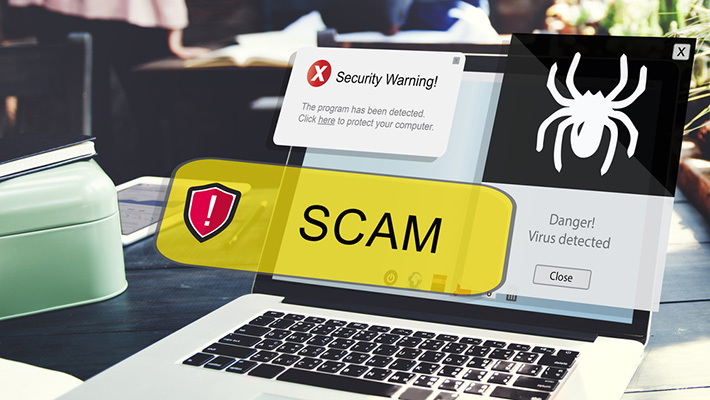
Online scams are increasing every day, and fake websites are one of the biggest reasons people lose their hard-earned money. These websites don't look fake at first glance; in fact, they often look more attractive than real websites.
Many people ask:
“How can I identify fake websites before making a payment?”
This guide by Raksha AI will help you clearly understand how to identify fake websites, what warning signs to look for, and how to protect yourself from online fraud.
What Is a Fake Website?
A fake website is a fraudulent website built to deceive users. Scammers clone real brands — banks, e-commerce stores, government portals — pixel-for-pixel, then swap out the payment gateway. The goal is simple: steal your money, credentials, or both.
They most commonly target:
- Shopping and e-commerce platforms
- Banking and UPI payment portals
- Government service pages (IRCTC, PAN card, Aadhaar)
- OTT subscription and recharge services
- Job portals and freelance platforms
And they steal:
- Credit and debit card details
- UPI PINs and one-time passwords (OTPs)
- Aadhaar and PAN numbers
- Login credentials
- Direct bank transfers for goods that never arrive
10 Warning Signs at a Glance
- Suspicious or misspelled URL
- HTTPS does not automatically mean safe
- Unrealistic offers and deep discounts
- Poor design, spelling errors, and broken pages
- Missing or unverifiable contact information
- No online presence or overwhelmingly negative reviews
- Payment pressure, UPI-only, and no refund policy
- Asking for OTP, CVV, or ATM PIN
- Suspiciously new domain
- Your instincts are telling you something is wrong
1. Carefully Check the Website URL — The #1 Signal
The URL is the first and most reliable indicator when learning how to identify fake websites. Scammers register domains that look almost identical to legitimate brands — with one subtle difference you can miss in a hurry.
Common tricks include:
- Character swaps — “rn” instead of “m” (e.g.
arnazon.comvsamazon.com), or “0” instead of “o” - Extra words —
sbi-bank-login.com,paypal-secure-verify.com - Unusual TLDs —
.xyz,.club,.netinstead of the brand's real.comor.in - IP addresses in the URL — e.g.
http://192.168.1.1/flipkart-login - Extremely long URLs with random strings after the domain
If the URL feels uncomfortable or unusual to read, your brain is already telling you something. Don't ignore it — slow down and check.
2. HTTPS Does NOT Automatically Mean the Website Is Safe
Most people see the padlock icon (🔒) in their browser and immediately trust the site. This is one of the most dangerous misconceptions in online security today.
SSL certificates are free. Any scammer can install one in under five minutes using services like Let's Encrypt. The padlock only tells you the connection between your browser and the server is encrypted — it says absolutely nothing about whether the website itself is legitimate.
“It has HTTPS, so it must be safe.” — The most dangerous myth in online security.
What to check instead: Click the padlock icon and view the certificate details. Check the “Issued to” organization name. Verify the domain in the certificate exactly matches the URL you are visiting. If the certificate is issued to an individual rather than a company — be cautious.
3. Unrealistic Offers and Deep Discounts Are a Classic Trap
Scammers exploit two powerful psychological triggers: greed and urgency. They create artificially inflated discounts (80–90% off), countdown timers, and “limited stock” warnings to pressure you into making a decision before your rational mind catches up.
Instant red flags to watch for:
- 80–90% discount on branded or premium products
- “Only X minutes left” countdown timers on the product page
- Free iPhone or luxury items bundled as gifts with every order
- Prices far below what any legitimate marketplace charges
- Flash sale links received via WhatsApp or Instagram DMs
Golden rule: If it looks too good to be true, it is. Real brands run discounts — not charity. A 90% discount on a branded product is not a sale, it is a scam.
4. Poor Design, Spelling Mistakes, and Broken Pages
Legitimate businesses invest heavily in their online presence. Scammers clone sites in hours — and the rush always shows. Blurry images, mismatched fonts, broken navigation links, and grammatically incorrect text are clear signs you are looking at a fake.
Signs of a fake site:
- Obvious spelling and grammar errors throughout the page
- Blurry, pixelated, or stolen stock images
- Buttons that do nothing, or links that redirect to unrelated pages
- Copyright year in the footer is outdated by several years
- Mixed fonts, inconsistent colors, off-brand logos
- Pages load partially or show raw code/errors
“Would a ₹10,000-crore company publish a website with this many typos?” Ask that question before you enter your card details.
5. Missing, Fake, or Unverifiable Contact Information
A real, registered business in India is legally required to display its company name, registered address, and a contact number. Scammers operate anonymously — because they have to.
What a genuine website will always have:
- A registered company name (searchable on MCA21)
- A physical office address (verifiable on Google Maps)
- A working customer support phone number
- An official domain email address (not
@gmail.comor@yahoo.com) - A GST number or CIN (for Indian businesses)
What a fake website will have instead:
- Only a WhatsApp number with no landline
- A generic Gmail or Yahoo email as the sole contact
- No “About Us” page, or one with vague, generic content
- A contact form that never receives replies
Quick test: Copy the company's address into Google Maps. No result? No physical presence. That alone is a serious warning sign.
6. No Online Presence or Overwhelmingly Negative Reviews
Every legitimate business leaves a trail online — social media accounts, Google reviews, news coverage, regulatory filings. If a website has no digital footprint at all, that silence is a loud alarm.
How to do a quick background check in under two minutes:
- Search “[website name] scam” or “[website name] review” on Google
- Check Trustpilot, MouthShut, or Google Business reviews
- Look for the brand on Instagram, Facebook, and LinkedIn
- Search for news or media coverage about the company
- Check the National Cyber Crime Portal at cybercrime.gov.in
If the only reviews you find are testimonials on the website's own pages — with no external verification anywhere — those reviews are almost certainly fabricated.
7. Payment Pressure, UPI-Only, and No Refund Policy
How a website handles payments reveals everything about its intentions. Scammers prefer payment methods that are instant, irreversible, and difficult to trace — particularly direct UPI transfers to personal accounts.
Red flags in payment behavior:
- Accepts only UPI or direct bank transfer — no card or net-banking option
- No Cash on Delivery option for physical goods
- No refund, return, or cancellation policy — or one that is deliberately confusing
- “Offer expires in 5 minutes” pressure during checkout
- Payment is to a personal UPI ID rather than a business account
Golden rule: Trusted websites always give you multiple payment options and a clearly stated refund policy. If a site pushes you to pay instantly with no safety net — walk away.
8. Asking for OTP, CVV, or ATM PIN Is an Absolute Scam Signal
This is the clearest, most absolute rule in online security. There are no exceptions and no legitimate reason for any website, bank representative, or customer service agent to ever ask for these:
- Your OTP — via call, WhatsApp, or a website form
- Your ATM or UPI PIN
- Your CVV number (the 3-digit code on the back of your card)
- Your net banking password
- Your Aadhaar OTP
- Remote access to your phone or computer
The moment any website, person, or app asks for your OTP, PIN, or CVV — you are being scammed. Hang up. Close the tab. Block the number. Do not engage further.
9. Suspiciously New Domain — A Hidden but Dangerous Signal
Most fake websites are less than 30 to 90 days old. Scammers create a domain, run the fraud, collect money, and disappear before anyone can report them — then repeat the cycle with a brand new domain.
You can check the age of any domain for free using tools like whois.domaintools.com or who.is. Or simply paste the URL into Raksha AI, which checks domain age automatically as part of its trust analysis.
A domain registered less than six months ago that is already asking for payments should be treated with extreme caution. This alone is not proof of fraud — but combined with any other warning sign on this list, it is a serious red flag.
10. Trust Your Instincts — Human Intuition Is Surprisingly Powerful
After all the technical checks, there is one final layer of protection that no tool can replace: your gut feeling. Scams work precisely because they pressure people into overriding their natural instincts. The urgency, the fear of missing out, the “this deal expires in two minutes” panic — it is all designed to stop you from thinking clearly.
If something feels off — the design looks slightly wrong, the deal seems implausible, the seller is weirdly insistent — stop. A legitimate business will always give you the time to verify. A scammer needs you to decide in the next 30 seconds.
When you feel confused, rushed, or pressured — that feeling is information. Stop immediately. Verify first. Pay only when you are completely confident.
How Raksha AI Helps You Identify Fake Websites
Running all ten of these checks manually every time you visit a new website is time-consuming. Raksha AI was built to automate the entire process in under five seconds.
Paste any URL and Raksha AI instantly checks:
- Domain age and registration history — catches newly created scam domains
- URL pattern analysis — detects lookalike and typosquatting domains
- Blacklist databases — cross-references known phishing and fraud domains
- Trust score engine — assigns a real-time score based on 50+ signals
- Community scam reports — aggregates what other users experienced
- AI pattern recognition — detects fake checkout flows and credential harvesting
It is free. No sign-up required. And it takes less time than reading this sentence. Check a website now →
Quick Reference Checklist Before You Pay
Before entering your payment details on any website, run through this list:
- The URL looks correct — no typos, extra words, or unusual domain extensions
- I checked the actual domain name, not just the HTTPS padlock
- There are no unrealistic discounts or countdown timers pressuring me
- The website design is professional with no broken links
- A verifiable phone number and physical address are listed
- External reviews exist on Trustpilot, Google, or similar platforms
- Multiple secure payment options are available (not UPI-only)
- No one has asked me for an OTP, PIN, or CVV
- The domain has been registered for at least six months
- My instincts are not raising any alarm
Frequently Asked Questions
How can I check if a website is fake?
Check the URL carefully for typos, verify the domain age using a WHOIS lookup tool, look for genuine contact information, read external reviews on Trustpilot or Google, and use Raksha AI for an instant trust score. Most fake websites fail at least three of the ten checks listed in this guide.
Are HTTPS websites always safe to use?
No. HTTPS only means the connection between your browser and the server is encrypted. It does not verify the website's identity or intentions. SSL certificates are free and easy to obtain — scammers use them routinely. Always verify the actual domain name, not just the padlock icon.
How do fake websites steal money?
Fake websites steal money by tricking you into making direct UPI or bank transfers for products that never arrive, by collecting your card details through fake payment forms, or by harvesting your OTP to gain access to your actual bank account.
What should I do if I already paid on a fake website?
Act immediately. Contact your bank to freeze or attempt a reversal of the transaction. File a complaint at cybercrime.gov.in or call 1930 — India's Cyber Crime Helpline. Do not engage further with the scammer. Change all passwords associated with any accounts you may have accessed on the site.
How to avoid fake websites in India specifically?
Be especially cautious of websites offering UPI-only payments with no Cash on Delivery option, sites that mimic IRCTC, SBI, or government portals, and links shared through WhatsApp groups or Instagram DMs. These are the most common vectors for online fraud in India. Always verify on Raksha AI before making any payment.
Final Thoughts
Learning how to identify fake websites is no longer optional — it is a fundamental digital survival skill in 2026. Scammers are getting smarter, faster, and more convincing every single day. But so are the tools designed to stop them.
The ten warning signs in this guide cover the vast majority of fake websites you will encounter. Bookmark this page. Share it with your family and colleagues. And before every online transaction — especially with a website you have never used before — run a quick check.
Stay alert. Think before you click. And let Raksha AI be your second pair of eyes — because one careful moment is all it takes to protect your hard-earned money.
Free Tool
Not sure about a website?
Paste any URL into Raksha AI and get an instant trust report. No sign-up. No cost. Results in under 5 seconds.
Check a website now →100% free · No sign-up required